
MOONBAG PRO
Moonbag Pro
Moonbag is built for traders who want one coherent workflow across watchlists, planning, portfolio, execution, and review. The goal is not more widgets. The goal is better decisions, clearer state, and less friction between reading the market and acting on it.
Move from coins to context quickly.
Build focused lists, inspect movers, pull in briefs, and stay close to the market without turning your workflow into a spreadsheet and five tabs.
Turn good ideas into explicit trade structure.
Scenarios, targets, execution plans, basket staging, and the Liquidation Flush lab all push decisions into a format that is easier to trust and easier to review.
See spot and futures the way they should be seen.
Moonbag keeps exposure, mark price, liquidation context, exchange sync, and open-position state readable instead of collapsing everything into a noisy generic tracker.
Moonbag is strongest when the whole process stays connected.
The product is meant to feel like one trading workspace: read the market, structure the setup, stage the execution, track the position, and review the outcome.
Read the market
Start with watchlists, intelligence, signals, phase, and market view so you know what kind of environment you are trading in.
Build the setup
Plan entries, exits, ladders, invalidation, basket sizing, and execution path before the market forces you into a rushed decision.
Track the position
Keep spot and futures separate, see live mark and risk context, and route exchange workflows through the right stack when needed.
Close the loop
Use history, journal, portfolio review, and execution context to improve the next trade instead of just forgetting the last one.
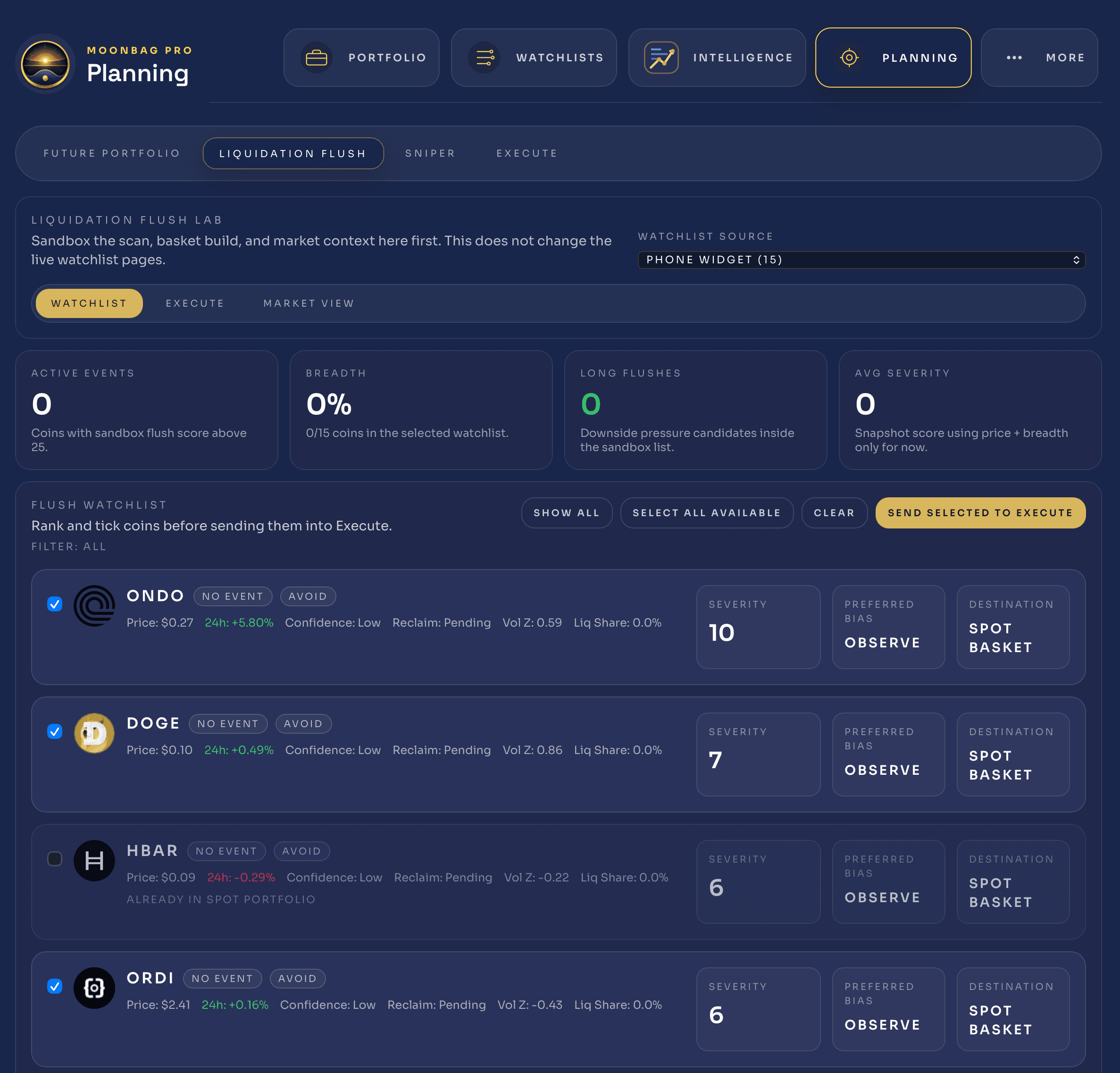
Strategy and sniper views
High-level strategy cards, timeframe comparisons, sample quality, and scenario blocks give you a fast read on whether a futures idea deserves more attention.
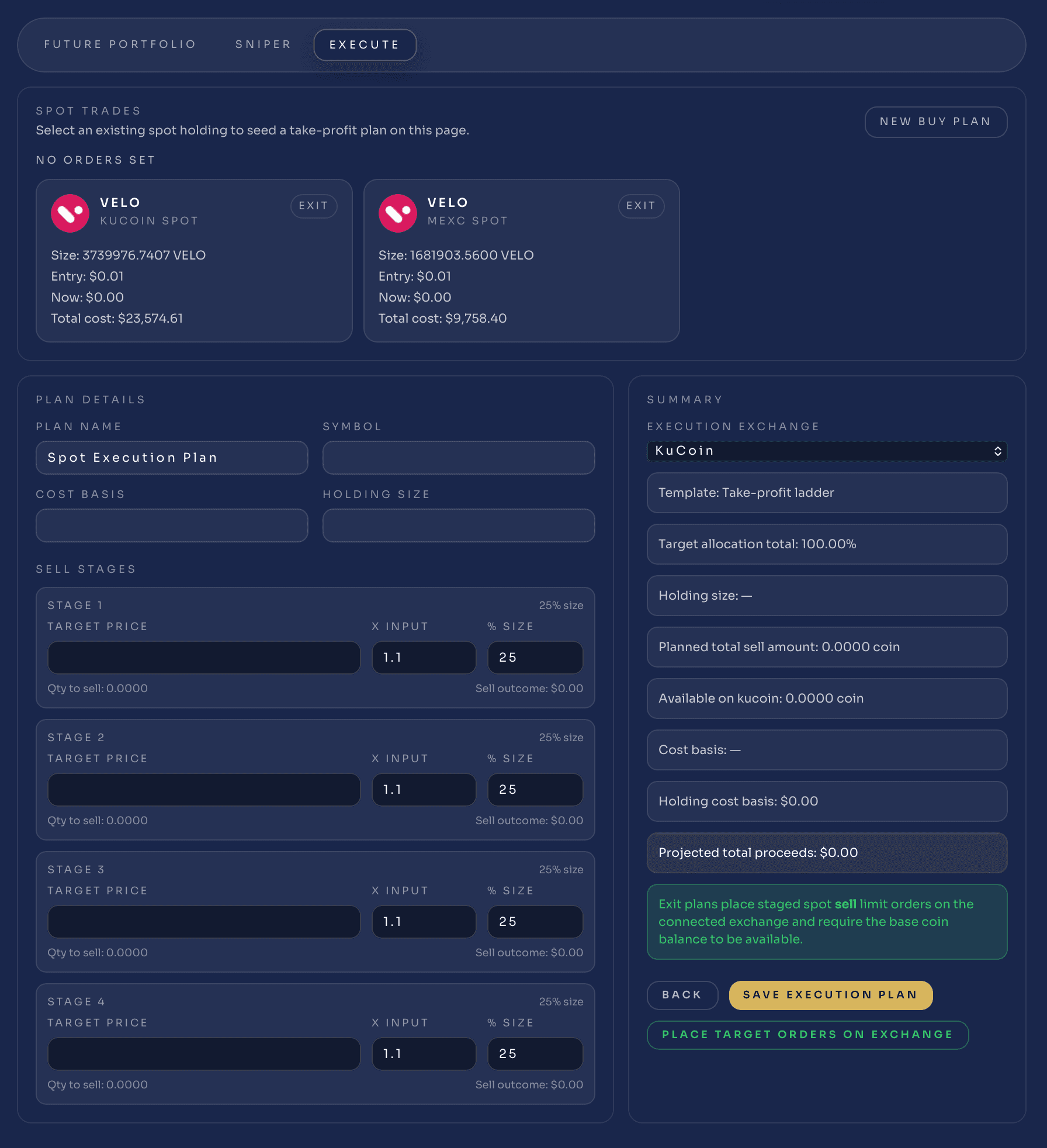
Execution planning
Stage target ladders, provider choice, sell stages, and exchange-linked execution plans in a workflow that looks like preparation, not random order-entry pressure.
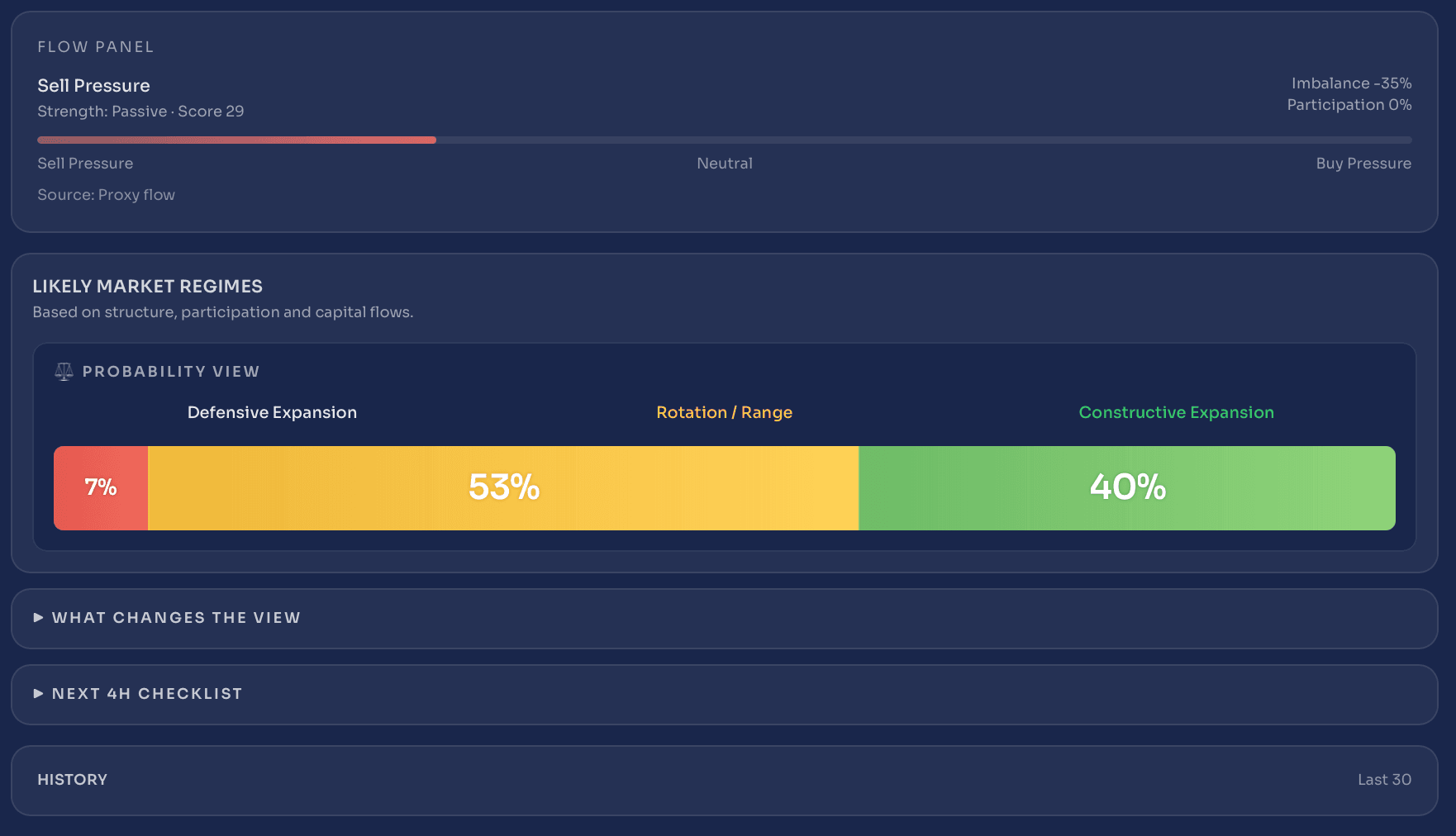
Market and flow context
Probability views, market regimes, flow panels, and checklist layers help you decide whether the backdrop supports the trade or argues for patience.
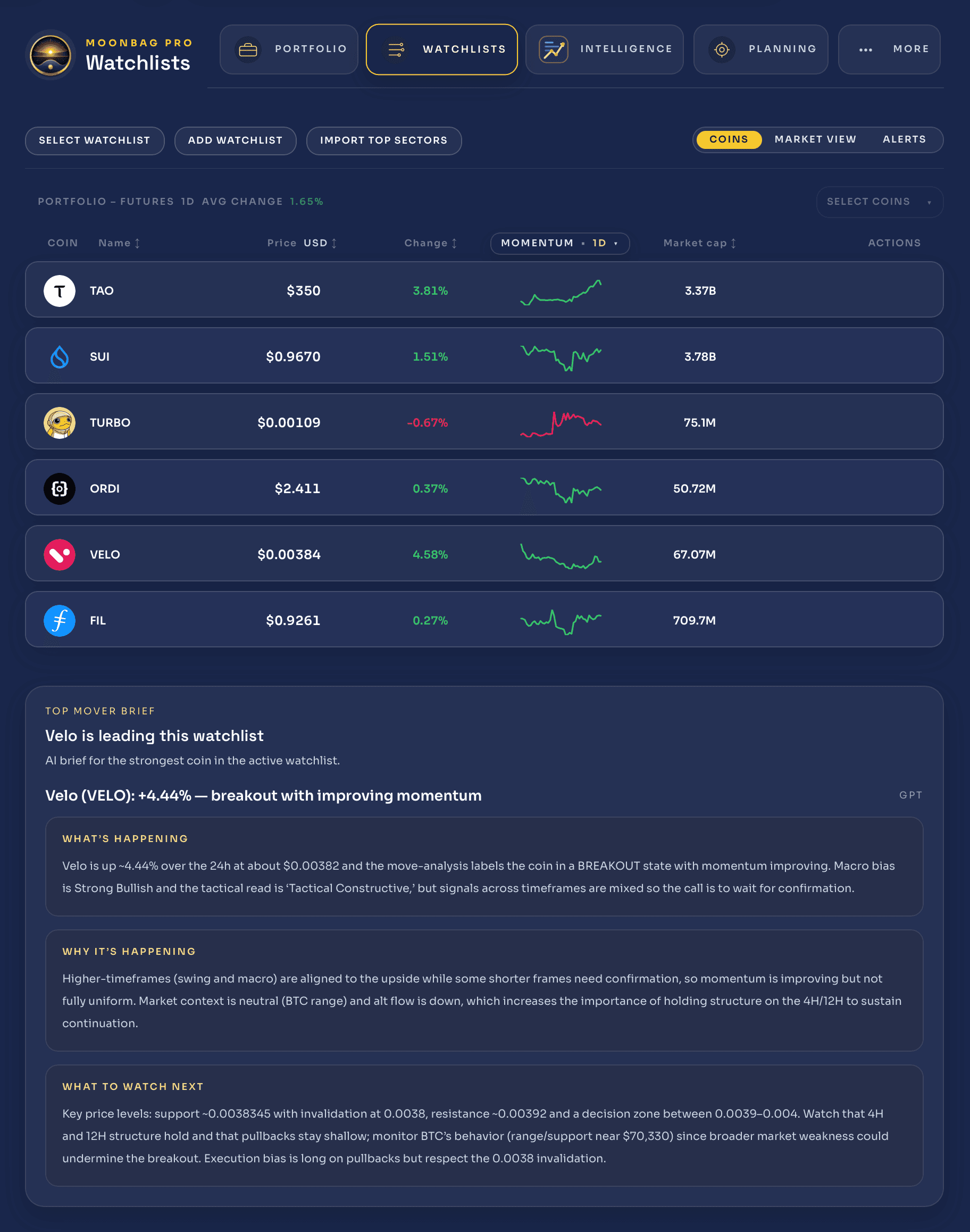
Watchlists with brief and alerts
Coin lists, briefs, alerts, and market-view overlays keep the strongest opportunities in a controlled list instead of a constantly changing feed.
For traders building conviction
Use Moonbag to move from a raw idea to a cleaner plan with actual structure around invalidation, targets, and size.
For active futures users
Keep liquidation, mark-price, and margin context close to the same screen where the trade idea and execution path live.
For disciplined spot builders
Treat entries and exits as staged plans instead of one-off clicks, with watchlists and brief context supporting the setup.
For review-minded traders
Track what happened after the trade and use that feedback to tighten process, not just accumulate old positions and screenshots.
The product is still moving quickly.
New users should see where Moonbag is headed, and current users should see that the workflow is actively getting sharper.
Who is Moonbag for?
Traders who want a calmer process: better context before the trade, better structure during it, and a clearer review loop afterward.
Does it work for both spot and futures?
Yes. The product is designed to keep the two workflows distinct enough that sizing, risk, and interpretation stay readable.
Do I need exchange execution on day one?
No. You can use watchlists, planning, market context, and portfolio workflows before deciding how much execution routing you want.
What makes it different from a normal dashboard?
Moonbag is meant to connect watchlists, planning, portfolio, execution, and review into one process instead of leaving each step in a different tool.
Choose the plan that matches your edge
Start free, build with confidence, and upgrade when you want deeper intelligence, richer charts, better alerts, and execution-ready workflows.
Annual plans include roughly 2 months free versus monthly pricing.
Free
See the market clearly
Perfect for exploring Moonbag, tracking your portfolio, and getting a cleaner view of the market without the noise.
Start freeIncluded
- Basic portfolio tracking
- Manual portfolio entry
- Limited watchlist
- Basic coin overview
- Simple signals
- Basic chart view
- Limited alerts
- Limited AI insights
- Cached and delayed refresh
Portfolios
1
Watchlist
15 coins
Alerts
3 alerts
AI analyses
10 / month
Pro
Trade with a plan
Built for serious investors who want structure, discipline, planning tools, smarter alerts, and deeper intelligence.
Upgrade to ProIncluded
- Everything in Free
- Full plan builder
- Target zones and reduction planning
- Plan drift detection
- Position Doctor analysis
- Richer Align and Confluence detail
- Portfolio heat and exposure insights
- Better alerts and progress tracking
- PDF exports
- Faster refresh and more data depth
Portfolios
3
Watchlist
75 coins
Alerts
25 alerts
AI analyses
100 / month
Pro+
Full intelligence and execution
For advanced traders who want deeper intelligence, richer live tools, advanced charting, tactical systems, and execution-ready workflows.
Go Pro+Included
- Everything in Pro
- Advanced charting
- Richer live price layer
- Advanced Move Analysis
- Tactical Align and Confluence
- Futures mode
- Long and short planning
- Leverage-aware risk tools
- Advanced alerts
- Execution-ready workflow
Portfolios
10
Watchlist
250 coins
Alerts
100 alerts
AI analyses
500 / month
Why Moonbag tiers are structured this way
Moonbag is designed to stay fast, clean, and genuinely useful at every level. Lower tiers focus on clarity, planning, and smart portfolio visibility. Higher tiers unlock richer live tooling, deeper intelligence, advanced charting, and execution-ready workflows for active traders who use the platform more intensely.
| Feature | Free | Pro | Pro+ |
|---|---|---|---|
| Portfolios | 1 | 3 | 10 |
| Watchlist capacity | 15 coins | 75 coins | 250 coins |
| Alerts | 3 | 25 | 100 |
| AI analyses | 10 / month | 100 / month | 500 / month |
| Saved plans | Basic | Expanded | Advanced |
| Portfolio intelligence | Basic | Yes | Advanced |
| Plan builder | No | Yes | Yes |
| Plan drift detection | No | Yes | Yes |
| Position Doctor | No | Yes | Advanced |
| Align and Confluence detail | Basic | Full | Tactical and full |
| Live data layer | No | Selected coin and holdings | Expanded live layer |
| Charts | Basic | Enhanced | Advanced |
| Futures mode | No | No | Yes |
| Trading tools | No | Limited | Yes |
| PDF export | No | Yes | Yes |
Built to help you make better crypto decisions
Moonbag is not just another dashboard. It is a cleaner, more disciplined way to track your portfolio, build plans, manage risk, and act with more confidence.
Start free to explore the platform. Upgrade to Pro when you want structure, planning tools, and stronger portfolio intelligence. Move to Pro+ when you want the richest charts, deeper live tools, advanced tactical workflows, and execution-ready features.
Frequently asked questions
Why does Moonbag limit live features on lower plans?
Live market data and advanced intelligence are more infrastructure-heavy than standard dashboards. Lower plans stay fast and useful, while premium tiers unlock the richest live experience.
Can I start on Free and upgrade later?
Yes. You can start free, build your watchlist, explore the platform, and upgrade when you want more planning tools, alerts, and live intelligence.
Who is Pro best for?
Pro is ideal for serious investors and swing traders who want structured planning, clearer signals, and better decision-making without paying for the full active-trader stack.
Who is Pro+ best for?
Pro+ is built for active traders who want premium charting, deeper live tools, tactical intelligence, and execution-ready workflows.
Bring watchlists, planning, execution, and review into one place.
Moonbag is for traders who want a stronger process and a cleaner environment around real decisions.